Making folder art in Grok or ChatGPT
You don't need an API key to make your own skins. Any chat app that can edit a picture (Grok, ChatGPT) can paint a folder for you if you give it our template and the prompt below. The prompt asks for a flat magenta background, which FolderSkin cuts away before adding the folder to Yours.
1. Attach the template
Download prompts/folder-template.png and attach it to your
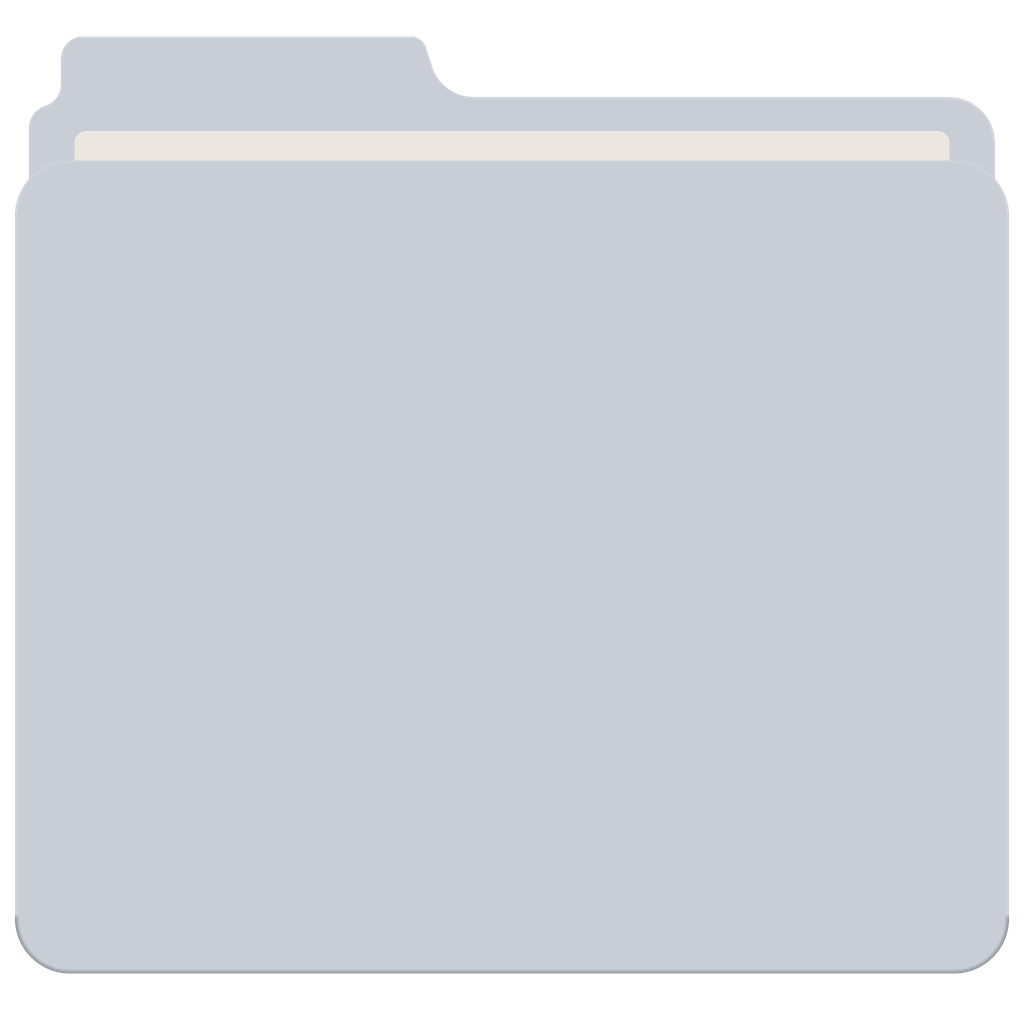
message. It is a blank FolderSkin folder on a transparent background. The model repaints it,
so every result keeps the same shape: tab on the top left, a cream paper sheet between the
panels, and the front panel carrying the picture.
2. Paste the prompt
Fill in the two lines in capitals. Keep the rest as it is; every sentence is there to stop a specific mistake (a tilted folder, a drop shadow, pink bleeding into the art).
Repaint the attached folder icon. Keep its exact shape: the same folder silhouette, the tab on
the top left, the thin cream paper sheet between the back and front panels, and the same size
and position in the frame. Straight-on front view, no perspective, no tilt.

Scene: DESCRIBE THE SCENE
Style: DESCRIBE THE STYLE

Paint the scene across the whole folder. The sky or background continues up into the back
panel and the tab; the main subject sits in the middle of the front panel, fully inside it.
Keep the paper sheet as a clean cream strip. Rich colour, strong light, fine texture, like a
collectible poster.

Paint everything outside the folder pure flat magenta #FF00FF: no shadow, no glow, no
gradient, no border, no other objects. Do not use magenta or hot pink inside the folder.
Square image.
Want lettering on it? Add one line before the last paragraph:
Add the title "YOUR WORDS" in bold poster lettering on the front panel. Keep it to one or
two words; long text comes out garbled.
3. Bring it into FolderSkin
Save the image, then drop it on the FolderSkin window or use Your photo. The magenta is removed automatically and the folder appears under Yours, ready to apply.
If the edges show a pink fringe, the model drifted from pure magenta. Ask it to "repaint the background as exactly #FF00FF" and try again.
Styles that suit a folder
Pick one, or mix two:
- vintage travel poster, flat colour, grainy print texture
- ukiyo-e woodblock print with bold outlines
- 1970s airbrushed poster with glossy chrome
- surreal photo collage with cut-paper edges and halftone dots
- art nouveau poster with ornate borders and thin gold lines
- Renaissance oil painting with dramatic light
- cinematic photograph at golden hour, 35 mm film grain
- miniature diorama shot with a tilt-shift lens
- risograph print in three inks
- soft clay render, like a stop-motion set
- constructivist poster with bold diagonals
- early-90s computer desktop, pixel icons and dithering
Ideas to start from
Each line is a whole brief, subject and style together. Paste it after Scene: and delete the
Style: line. These are the ideas the app's style buttons fill in, two per style.
- Travel poster. A tiny red seaplane landing on a turquoise lagoon at sunset, palm silhouettes and a low orange sun, as a vintage travel poster in flat colours with grainy print texture and the word ESCAPE in bold retro letters.
- Travel poster. A cable car climbing past snowy peaks toward a little alpine hotel, as a 1950s travel poster: flat blues and whites, one red accent, soft print grain.
- Woodblock. A giant koi leaping over a great wave under a pale moon, as a ukiyo-e woodblock print with bold black outlines, indigo and vermilion on washi paper.
- Woodblock. A fox in a straw hat crossing a lantern-lit bridge in the rain, as an Edo-period woodblock print with flat colour blocks and fine rain lines.
- 70s airbrush. A chrome cassette tape floating over a neon desert highway at dusk, as a 1970s airbrushed poster with glossy highlights and a purple-to-tangerine sky.
- 70s airbrush. A shiny roller skate orbiting a ringed planet, as a 70s airbrush illustration with chrome reflections, lens flares and a deep violet starfield.
- Collage. A vintage astronaut floating between cut-paper clouds, holding a steaming coffee cup, as a surreal photo collage with halftone dots and torn-paper edges.
- Collage. A giant hand watering a tiny city skyline like a houseplant, as a retro magazine collage with halftone print, paper grain and a mustard-yellow sky.
- Art nouveau. A woman whose hair turns into ocean waves, framed by lilies and ornate gold lines, as an art nouveau poster in muted teal, cream and coral.
- Art nouveau. A peacock perched on a crescent moon among swirling vines, as an art nouveau poster with thin gold outlines and jewel greens and blues.
- Oil painting. A cat in a velvet cloak holding a tiny laptop, as a Renaissance oil painting with dramatic candlelight, deep reds and golds, and cracked varnish.
- Oil painting. A whale drifting over a sleepy harbour at dawn, as a romantic oil painting with soft clouds, visible brushwork and warm morning light.
- Film still. A lone red phone booth on a snowy mountain ridge at golden hour, as a cinematic 35 mm film still with soft grain and long shadows.
- Film still. A vintage convertible parked under a neon diner sign on a rainy night, as a moody film still with wet reflections and teal-orange colour.
- Tiny diorama. A busy little post office built inside a wooden drawer, tiny workers sorting letters under warm lamps, as a tilt-shift miniature diorama.
- Tiny diorama. A tiny campsite on top of a giant open book, with a tent, a campfire and paper pine trees, as a tilt-shift miniature photo with soft evening light.
- Risograph. A vinyl record rising like the sun over desert dunes, as a three-colour risograph print in teal, yellow and orange, with visible grain and slight misregistration.
- Risograph. A paper boat sailing through a city of stacked books, as a two-colour risograph in blue and orange with a grainy, slightly offset print.
- Clay. A tiny lighthouse on a rocky island throwing a rainbow beam through puffy clouds, as a soft clay stop-motion scene in pastel colours with fingerprints in the clay.
- Clay. A snail carrying a little house with glowing windows through a mossy forest, as a cosy claymation set in soft light.
Or let the folder's name pick the scene: "Scene: a witty poster about a folder called 'Taxes 2025'".
Why magenta
Most chat apps return pictures without transparency. A flat #FF00FF background almost never occurs in real artwork, so FolderSkin can find it, remove it and soften the edge cleanly. The same trick is used when the in-app assistant asks a model for a whole folder.
If a chat app hands back a picture that really is transparent around the folder, that works too: FolderSkin uses the transparency as it is.